 Bedless Fajr
Photo-verified Fajr alarm
The Fajr alarm that won't stop until a photo proves you're up.
It rings at your exact Fajr time, even on silent once you allow Alarms for Bedless Fajr. Your 5 AM self gets no snooze button.
Anyone can build a streak. A verified one is hard to fake.

7-day free trial (yearly plan). iPhone, iOS 26 or later. No account. Ad tracking only if you allow it.
Follow the build on:
Built to get you out of bed for Fajr.
Rings at Fajr, even on silent
A real system alarm at your exact Fajr time. Once you allow Alarms for Bedless Fajr, the silent switch and Focus modes don't stop it.
No snooze button, a photo stops it
Get up and photograph the target it picks. Once you allow Alarms, silence it from the lock screen and it rings again within two minutes, for up to an hour, never after sunrise. See every way it can stop.
Days in a row, verified, and your record
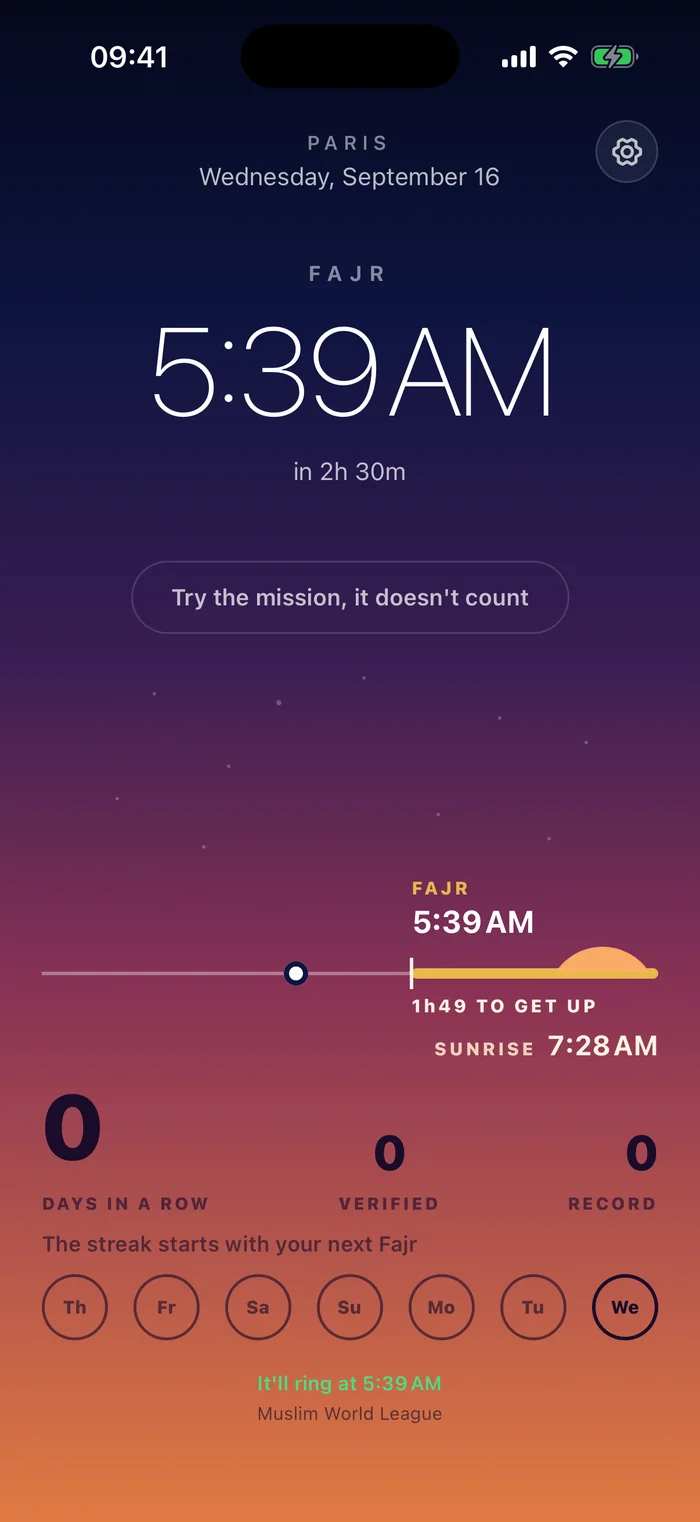
Three numbers: days in a row, how many of them were verified, and your record. The record stays when the chain breaks.
Three steps. No snooze button.
Your Fajr time is computed for your location every day. By default it uses an angle based on your country: ISNA 15° in the US and Canada, Umm al-Qura 18.5° in Saudi Arabia, Muslim World League 18° in the UK, France and most other countries. Change it anytime, among nine angles. It's a real system alarm: once you allow Alarms for Bedless Fajr, it rings through the silent switch.
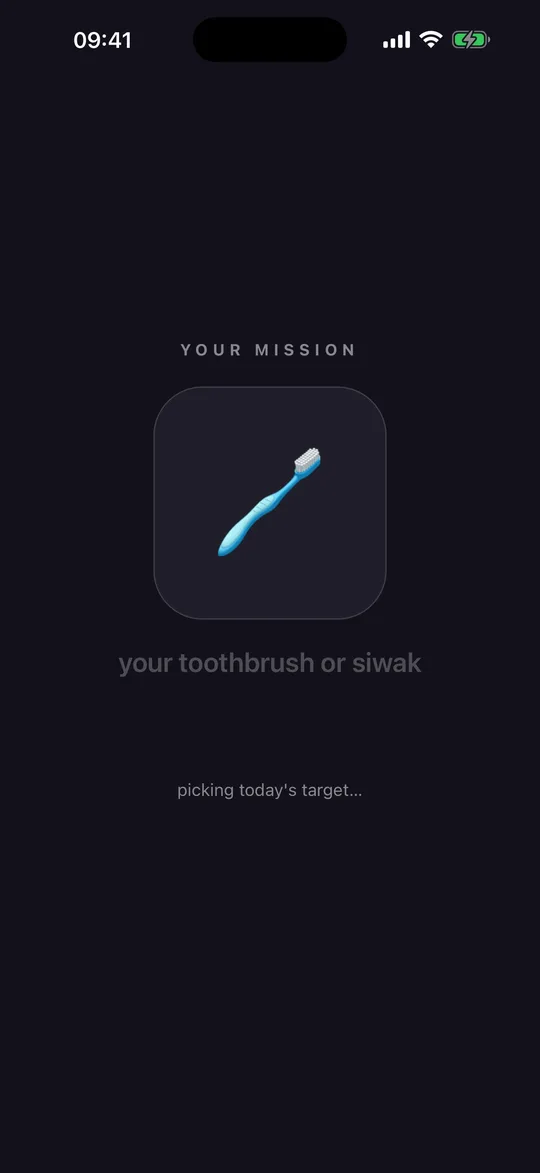
Your sink, your prayer mat (unrolled), a glass of water, or your toothbrush or siwak, picked at random each morning. Get up, go and photograph it. That's your mission.
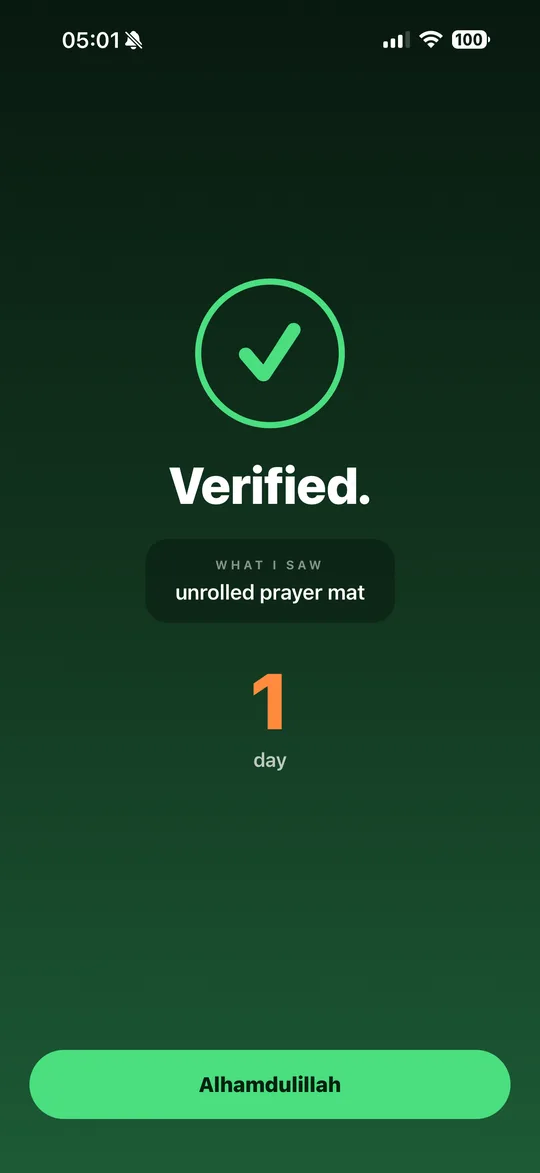
An AI vision model checks your photo, and the app tells you what it saw. A photo of your ceiling from under the blanket is refused. We don't keep the photo on our servers.
Built for the deen, not for a generic alarm.
Tahajjud
Ring 15, 30, 45, 60 or 90 minutes before Fajr, or any number up to 180, never before midnight. The mission opens with the alarm.
Excused days, for women
During your period, tap Excused: the alarm stays off for the days you set, and your streak is kept, not broken.
The Fajr adhan
On iOS 26.1 or later, the alarm plays a Fajr adhan recorded in Doha by default; Apple limits alarm sounds to 30 seconds. Open the app during the Fajr window and the adhan plays in full. Or the iOS ringtone if you prefer, or load your own file.
We don't punish you for your carrier
No signal at 5 AM? A failed check never counts against you: the morning counts, marked unverified. If the AI refuses your photo twice, you can continue anyway.
Private by design
No account. Location is never tracked and never stored on our servers. Your photo never touches your camera roll, and we don't keep it on our servers. Our AI provider may hold it up to 30 days for abuse monitoring and doesn't train on it.
Questions
Does it really ring when my phone is on silent?
Yes, once you allow Alarms for Bedless Fajr; without that permission, the app falls back to a notification. Bedless Fajr sets a real system alarm (Apple's AlarmKit), the same kind as the Clock app. It rings through the silent switch and Focus modes. The alarm is scheduled with the system, not kept alive by the app: it rings even if the app is closed, and after a restart. Don't take our word for it: during your free trial, open Settings → Try it → “Ring in 1 min”, put your phone on silent, and wait. More in our guide to a Fajr alarm that rings on silent mode on iPhone.
What if I really can't get up one morning?
While it's ringing, open the app and tap “I can't get up”, or tap “Skip today's alarm” at the top of Settings. Today's alarm stops, no photo needed. Before sunrise, that morning doesn't count either way and your streak stays intact. Tomorrow it rings as usual. There's also a switch to turn the wake-up off entirely.
What happens to my photo?
It's sent to our server and checked against your mission by an AI vision model. Your photo never touches your camera roll, and we don't keep it on our servers. Our AI provider may hold it up to 30 days for abuse monitoring and doesn't train on it. Details in the privacy policy.
Which Fajr time does it use?
It's computed from your coordinates. By default it uses an angle based on your country: ISNA 15° in the US and Canada, Umm al-Qura 18.5° in Saudi Arabia, Muslim World League 18° in the UK, France and most other countries. Change it anytime in Settings → Prayer times, for example if it doesn't match your mosque.
How much does it cost?
The yearly plan starts with a 7-day free trial for new subscribers; a weekly plan is also available, without a trial. Prices are shown in the app. Plans renew automatically; cancel any time in your Apple Account settings.
Tomorrow's Fajr is already computed.
7-day free trial (yearly plan). No account. Ad tracking only if you allow it.
About Bedless Fajr
Bedless Fajr is a Fajr alarm for iPhone (iOS 26 or later) that rings through silent mode and won't stop until a photo of a target picked at random, checked by AI, proves you're up.
Bedless Fajr is built by Zakariya Telitel, an independent developer in France (Telitouch). Questions or bugs: support@telitouch.app