Bedless Fajr › Fajr alarm
How Bedless Fajr gets you up, and every way the alarm stops
By Zakariya Telitel, independent developer of Bedless Fajr · Updated
Bedless Fajr is a Fajr alarm for iPhone (iOS 26 or later) that rings through silent mode and won't stop until a photo of a target picked at random, checked by AI, proves you're up. It's a real system alarm built on Apple's AlarmKit, so it rings through the silent switch and Focus modes once you allow Alarms. Each morning it picks a target at random, and an AI vision model checks your photo.
Every way the alarm can stop
| What you do | What happens | Your streak |
|---|---|---|
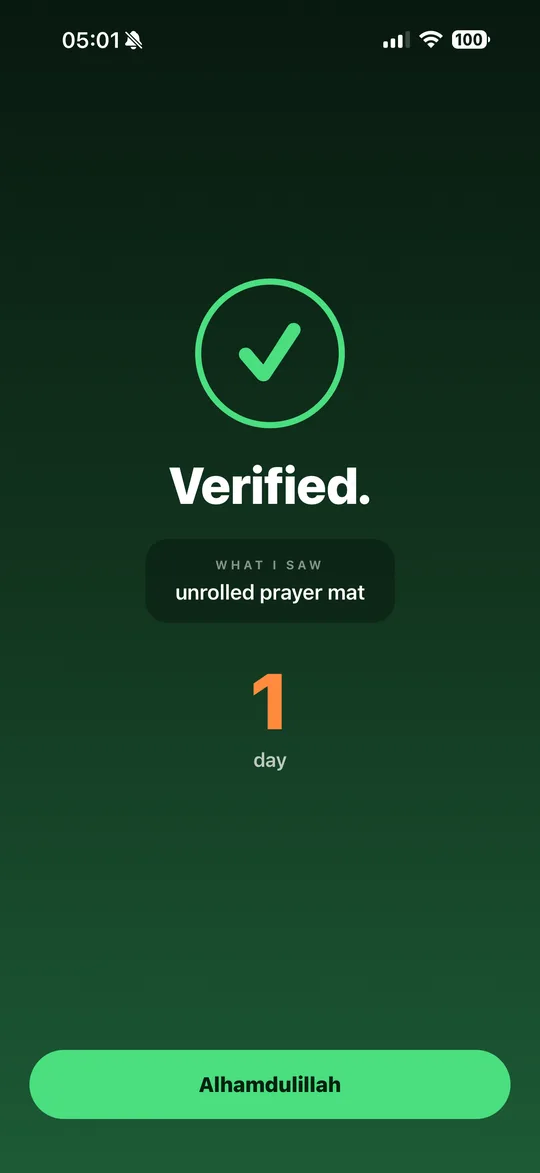
| Photograph today's target, and the check accepts it | The alarm and today's follow-ups stop. The app shows what it saw. | The morning counts, verified. |
| Stop, or a volume button, on the lock screen | That ring goes quiet. Once you allow Alarms, the next one comes within two minutes, for up to an hour, never after sunrise. | Nothing changes yet. |
| Tap “mute” in the app | Mute buys you silence, not more sleep: once you allow Alarms, the next follow-up still rings within two minutes (follow-ups run for up to an hour, never after sunrise). | Nothing changes yet. |
| The AI refuses your photo twice, then you tap “Continue anyway” | The alarm and today's follow-ups stop. | The morning counts, marked unverified. |
| Your photo can't be checked (no connection, the server is down, too many attempts) | You go on right away, and the alarm stops. | The morning counts, marked unverified. |
| During the Fajr window, tap “I can't get up”, or tap “Skip today's alarm” at the top of Settings | The alarm and today's follow-ups stop, no photo needed. Tomorrow it rings as usual. | Before sunrise, that morning doesn't count either way: your streak stays intact. |
| Nothing at all | Once you allow Alarms, it rings again within two minutes, for up to an hour, never after sunrise. | If the sun rises before your mission, the morning is missed and your streak starts again from zero. Your record stays. |
| Uncheck that day in Settings → Days | No alarm rings that morning. | An unchecked day never breaks your streak. |
| Start Excused (for women, during your period) | The alarm stays off for the days you set. | Excused days never break your streak. |
| Turn off “Wake me up at Fajr” | No alarm rings. | Your mornings still count: a checked day without a mission breaks your streak. To rest without breaking it, uncheck the day instead. |
What the AI accepts, what it refuses
Your photo is checked by an AI vision model given written instructions: lenient on quality, strict on the target. It's an AI's judgement and it can get one wrong, which is why two refusals in a row let you continue anyway.
| Accepted | Refused |
|---|---|
|
|
If your photo is refused, the app tells you why in one plain sentence, in the app's language, for example: “I see a ceiling, not your prayer mat.” The camera opens on the back lens with the flashlight already on, because it's dark at Fajr; tap “Light” to turn it off.
Minute by minute
- The evening before. At 9 PM, a notification gives you tomorrow's Fajr time and tells you the alarm is set. The app schedules it on days you open it before 9 PM, with notifications allowed, when tomorrow's alarm will really ring.
- At Fajr. The alarm rings. By default, each ring plays the opening of a Fajr adhan on iOS 26.1 or later (Apple limits alarm sounds to 30 seconds). Open the app during the Fajr window and it plays in full.
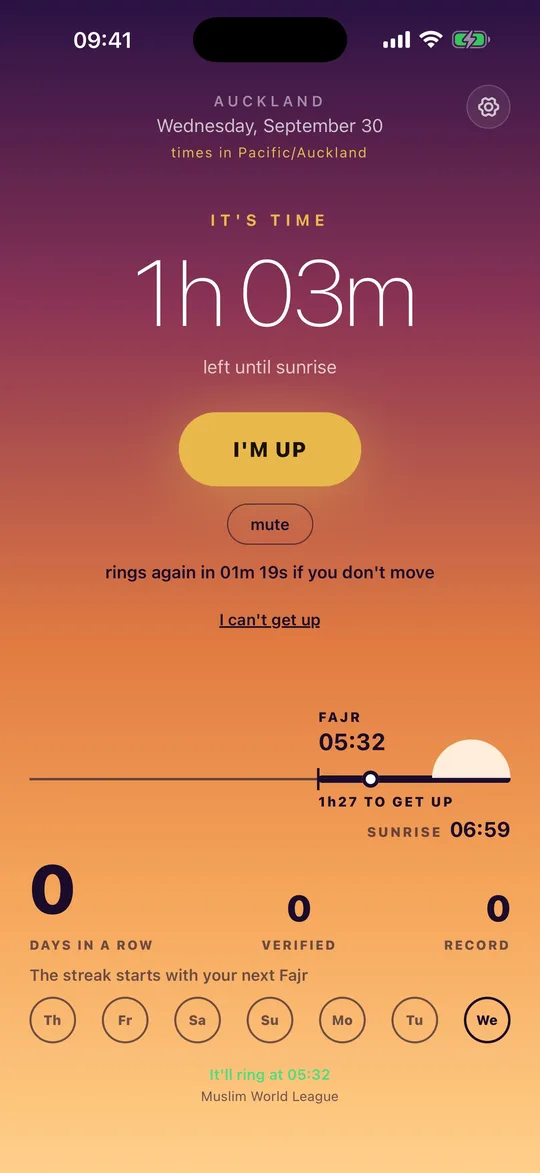
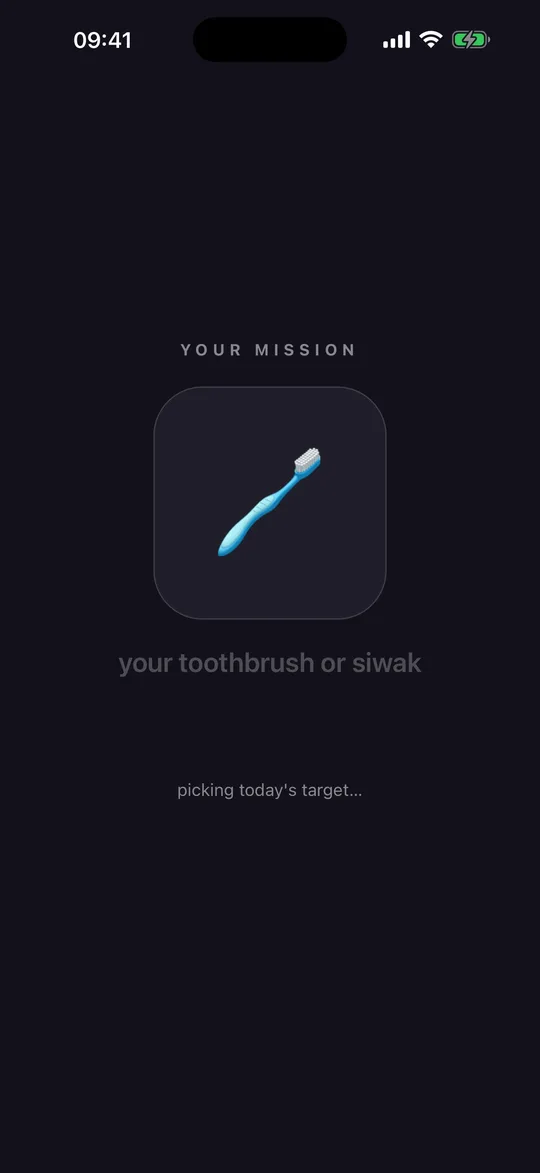
- I'm up. The alarm's “I'm up” button opens Bedless Fajr. On the home screen, tap “I'M UP”: a quick draw picks today's target (your sink, your prayer mat (unrolled), a glass of water, or your toothbrush or siwak), the same all morning, and “BISMILLAH” opens the camera.
- The photo. When the check accepts it, the alarm and today's follow-ups stop, and “WHAT I SAW” shows what the AI recognised.
- Until then. Once you allow Alarms, it rings again within two minutes, for up to an hour, never after sunrise.
On silent
Bedless Fajr sets a system alarm with Apple's AlarmKit. Once you allow Alarms for it, it rings through the silent switch and Focus modes; without that permission, it falls back to a notification, which silent mode mutes.
Test it tonight: Settings → Try it → “Ring in 1 min”. Your streak is never touched. Why a notification goes quiet on silent, and an alarm doesn't.
What it doesn't do
- Bedless Fajr checks that you're up. It doesn't track or grade your prayer.
- iPhone, iOS 26 or later. There's no Android version.
- The yearly plan starts with a 7-day free trial for new subscribers; a weekly plan is also available, without a trial. Prices are shown in the app.
Questions
Does Bedless Fajr check that I prayed?
No. It checks that you're up. It doesn't track or grade your prayer.
Does it ring if the app is closed, or after a restart?
Once you allow Alarms, the alarm is scheduled with the system, not kept alive by the app: it rings even if the app is closed, and after a restart. Opening the app keeps tomorrow's Fajr time up to date. More on silent mode and restarts.
Why does the alarm have exits at all?
Because a wake-up app should never trap you. You can be ill, travelling, or excused: “I can't get up” stops today's alarm without a photo and, before sunrise, keeps your streak intact; Excused keeps the alarm off for the days you set. Every exit is listed on this page, under “Every way the alarm can stop”.
Set it for tomorrow's Fajr
Bedless Fajr computes tomorrow's Fajr where you are and rings at that time once you allow Alarms.
See how Bedless Fajr worksAlso read: How to wake up for Fajr · Fajr alarm on silent mode · The three knots hadith · Best Fajr alarm for iPhone · Photo alarm for Fajr · Alarm app alternative for Fajr